How to Spot Phishing Emails Targeting Crypto Users
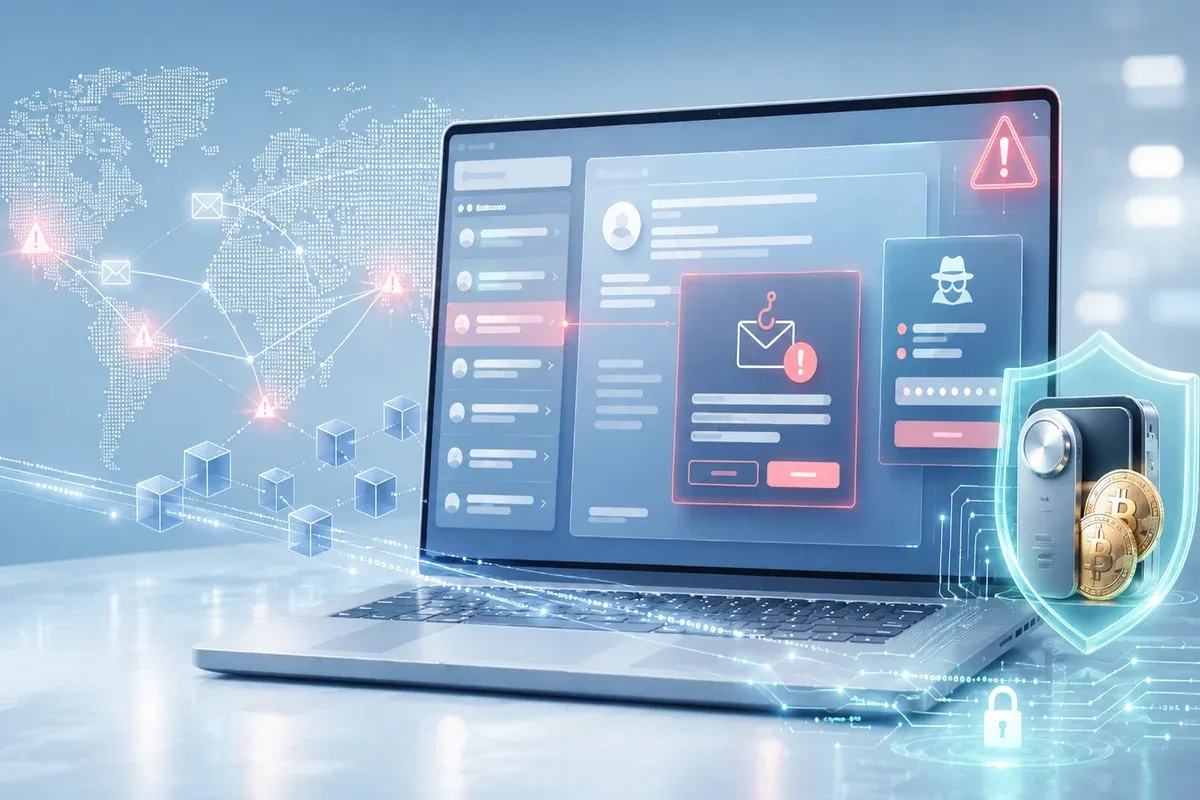
In Q1 2026, Microsoft Threat Intelligence detected approximately 8.3 billion email-based phishing threats in just three months. For crypto users specifically, signature phishing losses jumped 207% in January 2026 compared to the previous month. The attackers' strategy has shifted: rather than casting wide nets, they now pursue fewer targets with higher balances, a technique security researchers have labeled "whale hunting."
Key Points
- Crypto-targeted phishing attacks surged 207% in early 2026, with attackers shifting toward high-value targets
- AI now enables attackers to craft grammatically perfect emails that perfectly mimic legitimate platform communications
- Six key signs: suspicious sender domains, false urgency, seed phrase requests, mismatched links, unexpected attachments, and unrealistic offers
- QR code phishing became the fastest-growing attack vector in 2026, more than doubling in a single quarter
- No legitimate crypto platform will ever ask for your seed phrase or private key through any channel
Why Crypto Users Are Primary Phishing Targets
Phishing in the crypto space operates differently from conventional credential theft. When a standard phishing attack steals your banking login, the attacker still has to navigate layers of fraud detection, transaction limits, and account verification before accessing funds. When a crypto phishing attack obtains your seed phrase or private key, there are no subsequent barriers. An entire wallet can be drained in seconds.
In 2026, AI has fundamentally altered the threat landscape. The old rule of thumb, that poor grammar and spelling errors are reliable phishing signals, no longer holds. Attackers now use large language models to produce flawless, personalized messages that accurately replicate the tone, branding, and communication style of the platforms you use. The time required to build a convincing phishing campaign has dropped from approximately 16 hours to roughly five minutes. AI-generated phishing messages show engagement rates up to 60% higher than traditionally crafted attacks.
The implication is straightforward: visual inspection alone is no longer sufficient. You need to understand the structural patterns of phishing, not just the surface-level indicators.
Six Signs of a Phishing Email Targeting Crypto Users
1. A Sender Domain That Doesn't Add Up
The sender's display name can say anything. The email address itself is where the deception becomes harder to hide, but attackers have become skilled at minimizing the visible difference.
Common tactics include replacing letters with visually similar characters (0 instead of o, 1 instead of l), using subdomains to bury the actual domain, using legitimate email services to send from addresses like "[email protected]", and registering domains that are one character different from the real one.
Before taking any action on a crypto-related email, check the full sender address carefully, not just the display name shown in your inbox preview. Every official communication from a licensed crypto platform uses the company's verified domain, not a variation of it.
2. Artificial Urgency
"Your account will be suspended in 24 hours." "Verify immediately or your assets will be frozen." "You have 2 hours to claim your reward before it expires."
Urgency is the primary psychological lever phishing attacks use. When people feel genuinely threatened and time-pressured, critical thinking degrades and impulsive action takes over. Attackers design their messages explicitly to trigger this response.
Specific signals: countdown timers, threatening language, extremely short deadlines, and consequences framed as catastrophic if immediate action isn't taken. Legitimate crypto platforms do not communicate extreme urgency through email without corresponding notifications visible inside the verified application itself.
3. Requests for Seed Phrases, Private Keys, or Passwords
This is simultaneously the easiest sign to identify and the most dangerous to overlook. No legitimate, licensed crypto platform will ever ask you to submit your seed phrase, private key, or password through email, an online form, a support chat, or any other channel.
Understanding why requires understanding what seed phrases and private keys actually are: they are cryptographic master keys that grant unconditional, irreversible control over everything in a wallet. Any entity with your seed phrase owns your wallet. There is no legitimate reason for a platform to ever need this information. If an email asks for it under any pretext including account verification, mandatory security review, or compliance requirements, it is a phishing attack.
4. Links That Don't Go Where They Claim
Attackers are highly skilled at presenting URLs that look plausible while the actual destination is something entirely different. Before clicking any link in a crypto-related email, hover your cursor over the link without clicking and check the URL that appears in your browser's status bar.
Signs of a phishing link: the displayed URL doesn't match the actual destination, the link uses a URL shortener to obscure the true target, the domain is different from the platform's official domain, or the URL contains unusual characters, extra subdomains, or unfamiliar paths.
The safest practice: never click links in crypto emails at all. Type the platform's URL directly into your browser or use a saved bookmark that you've verified previously.
5. Unexpected Attachments
Phishing emails frequently include attachments claimed to be transaction receipts, security reports, account statements, or verification documents. These attachments typically contain malware designed to steal credentials, log keystrokes, or access your clipboard to intercept wallet addresses during copy-paste operations.
In 2026, the average size of HTML files in phishing emails has grown from 20 KB in 2021 to 735 KB. Attackers intentionally use larger files to exploit email latency and delay security scanning. Do not open attachments from senders you don't recognize or weren't expecting, regardless of how official the filename appears.
6. Offers That Are Too Good to Be True
"Claim 0.5 BTC as a loyalty reward." "You've been selected for an exclusive 1,000 USDT distribution." "We're doubling crypto deposits for the next 24 hours."
Unrealistic offers exploit FOMO and represent one of the oldest phishing tactics in the crypto ecosystem. No legitimate platform distributes significant amounts of crypto without clear, verifiable conditions that are communicated through the official app interface. When an offer sounds too good to be true, the appropriate response is to verify through official channels before taking any action, not to act first and question later.
Emerging Tactics to Watch in 2026
Beyond the six core signs, several newer attack methods have become significantly more prevalent:
QR Code Phishing
QR code phishing became the fastest-growing attack vector in Q1 2026, more than doubling over the quarter. Attackers embed malicious QR codes in emails that direct victims to credential-harvesting sites. Because the destination URL is encoded inside an image rather than as scannable text, traditional email security filters frequently miss it. Don't scan QR codes from emails you weren't expecting, and always use a QR scanner that previews the destination URL before loading the page.
CAPTCHA-Gated Phishing Sites
Phishing sites increasingly place a CAPTCHA challenge before the fake login page. This serves two purposes: it makes the site appear more legitimate to human visitors, and it prevents automated security crawlers from analyzing the malicious content behind it. A CAPTCHA on a login page is not evidence of legitimacy.
Deepfake Impersonation
Attackers are creating realistic video content impersonating exchange founders, crypto influencers, and platform executives to promote fake giveaways or investment programs. Always verify announcements through official, verified channels, regardless of how convincing the source appears.
What to Do If You Receive a Suspicious Email
- Don't click anything in the email, including "unsubscribe" links
- Navigate directly to the platform using a URL you type yourself or a verified bookmark
- Contact customer support through the official channel listed inside the app, not through any contact information in the suspicious email
- Report the email as phishing using your email client's reporting function and notify the platform's security team
- Don't forward the email to others, as this could expose metadata that benefits attackers
Building Proactive Defenses
Avoiding phishing requires both recognition skills and structural security measures that reduce the impact even when an attack isn't immediately recognized.
Enable two-factor authentication using an authenticator app rather than SMS on all your crypto accounts. Even if an attacker obtains your password, they still need physical access to your authenticator device to proceed.
Learn how to properly secure your crypto wallet, including how to store seed phrases securely offline. For significant asset holdings, consider using a hardware wallet that stores private keys in an air-gapped environment completely inaccessible to internet-based attacks.
Broaden your understanding of the wider threat landscape by familiarizing yourself with rug pulls and crypto scams. Phishing frequently serves as the entry point to larger fraud schemes, and understanding the ecosystem of threats makes individual attacks easier to recognize and resist.
Conclusion
Phishing attacks targeting crypto users in 2026 are more sophisticated than at any previous point. AI has eliminated the most reliable historical warning sign: poor grammar and obvious errors. Newer vectors like QR code phishing and deepfake impersonation have made visual inspection alone insufficient.
But one principle remains constant and will not change: no legitimate crypto platform will ever ask for your seed phrase, private key, or password through email or any other channel. If something asks for it, it is a phishing attack. No exceptions.
FAQ
```html id="tuzp4x"
Crypto phishing is a cyberattack in which attackers impersonate trusted platforms or entities to trick users into revealing sensitive information such as seed phrases, private keys, or account credentials. Unlike conventional phishing that often targets bank accounts with reversible transactions, crypto phishing targets wallet access where theft is usually permanent. Once assets leave a wallet, they cannot be recovered through any dispute or reversal process.
Check the full sender email address carefully, not just the display name. Navigate to the platform separately by typing its URL directly into your browser instead of using links in the email. You can also log into the app and verify whether the notification exists inside the platform itself, or contact support through official in-app channels. When in doubt, treat the email as suspicious until it is independently verified.
Close the page immediately without entering any information. Change your account passwords from a separate, trusted device, then reset or re-enable two-factor authentication. If you believe your credentials have been compromised, move your assets to a new wallet or account. Report the incident to the platform and retain evidence for potential reporting to cybersecurity authorities.
Never, without exception. No licensed, legitimate crypto platform requires your seed phrase, private key, or password for any purpose, including account verification, security reviews, compliance requirements, or platform upgrades. Any request for this information is a phishing attack regardless of how official it appears.
Do not scan QR codes from emails you were not expecting. Use a QR scanner application that displays a URL preview before loading the destination, then verify that the previewed URL matches the official domain of the platform. For critical crypto transactions, always generate QR codes directly within the official application instead of scanning codes received through external channels.
```
Your crypto assets are more secure on a platform built with security as a foundation. Mobee, supervised by OJK and ISO 27001 certified, protects your assets with 2FA authentication, biometric verification, and Fireblocks institutional-grade custody. Download on the App Store or Google Play.
 Direct market access from the app
 Start exploring digital assets with Mobee
Track the market, learn about digital assets, and start trading more conveniently with the Mobee App.
Mobee is licensed and supervised by the OJK. Not a solicitation to buy or sell any asset.