How to Use Spot Grid Trading on Mobee

Are you looking to trade automatically without constantly monitoring the market? Mobee's Spot Grid Trading feature is the perfect solution! This article will provide a step-by-step guide on how to use the Spot Grid strategy easily and effectively—ideal for those who want to buy low and sell high within a specific price range. Check out the complete guide below!
What Is Spot Grid Trading?
Spot Grid Trading is an automated trading feature on the Mobee app designed to take advantage of price fluctuations within a range. You only need to set parameters such as price range, number of grids, and investment amount. The system then runs automatically.
- When the price drops to a certain level, the system executes a buy order.
- When the price rises, the system executes a sell order to capture profit.
- This process continues as long as the price remains within the range you’ve set.
This strategy works best when the market is sideways (moving up and down within a certain range).
For example, if BTC is moving between $90,000 and $95,000 over several days, you can profit consistently from these small fluctuations.
However, Spot Grid is less ideal in strongly bullish or bearish markets because prices may move out of the set range, leaving some orders inactive.
Currently, Mobee’s Spot Grid supports BTC, ETH, BNB, XRP, XAUT, SPX6900, and HYPE coins with USDT, USDC, and IDR pairs. More assets will be added in the future.
Steps to Use Spot Grid Trading
Step 1: Go to the Spot Grid Menu
.jpg)
Open the Mobee app, select the Spot Grid menu, then click “Create Strategy” or choose an asset directly from the list.
Step 2: Choose Strategy & Grid Mode
.jpg)
You can choose the type of strategy you want to use:
- Neutral: Suitable if you’re unsure about the market direction or when the market is moving sideways.
- Dip Hunter: Ideal for those entering at higher prices but still want to reduce risk by scaling in gradually.
- Hodler: Best for those who believe the price is already low and want to maximize profit before a rebound.
- Manual: For experienced traders who want full control over grid settings.
Step 3: Set the Price Range
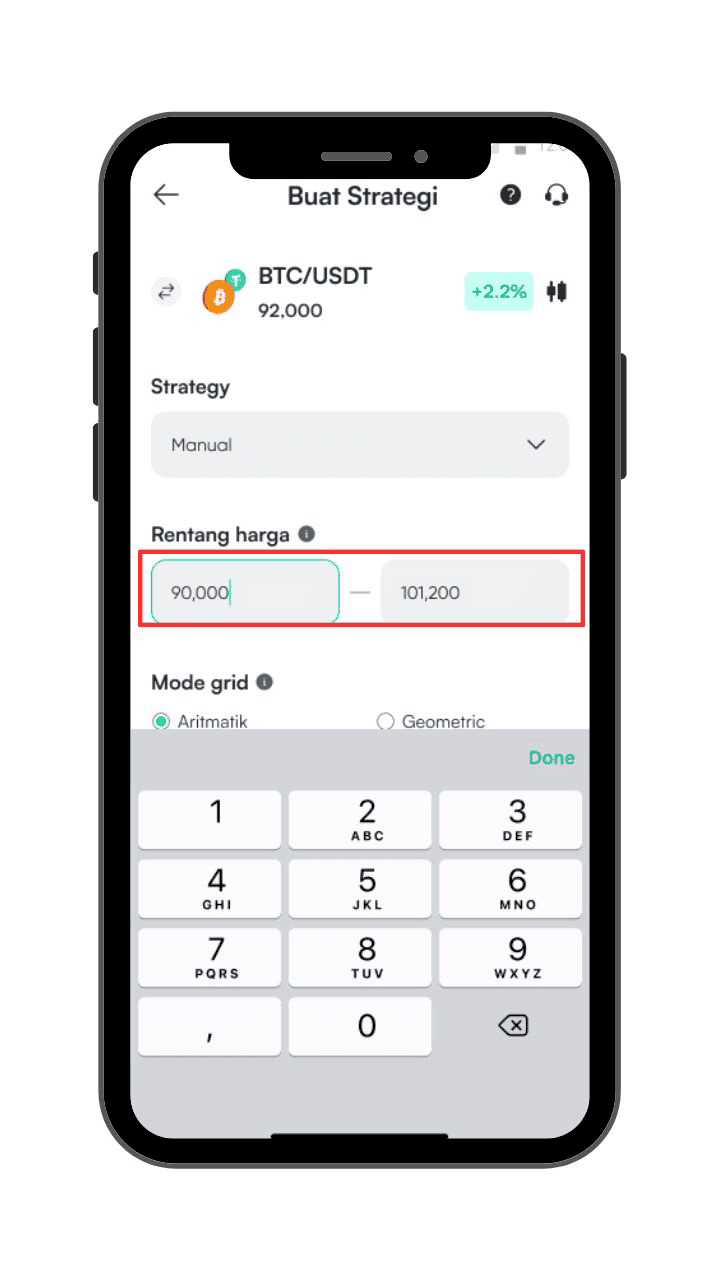
Determine the highest and lowest prices where orders will run. Trading only occurs within this range.
Step 4: Choose the Grid Mode, Arithmetic or Geometric
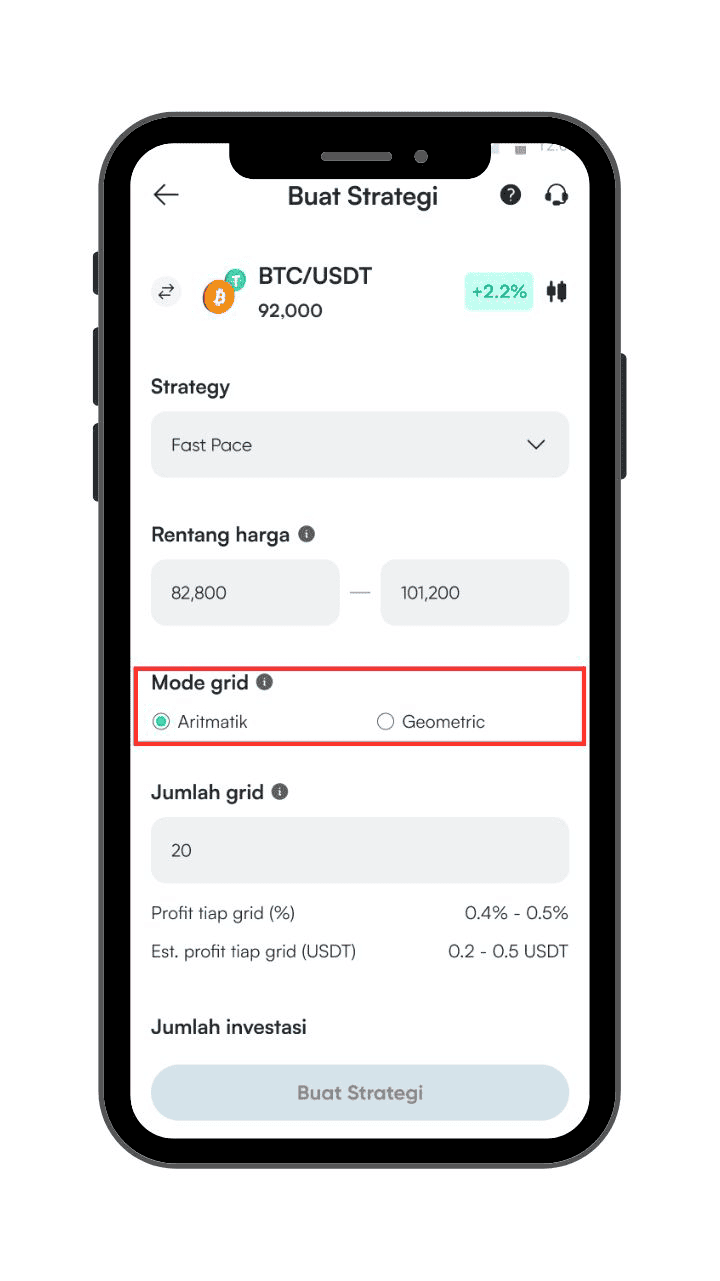
- Arithmetic: keeps grid spacing equal in nominal value.
- Geometric: sets grid spacing as a percentage of price.
Step 5: Set the Number of Grids
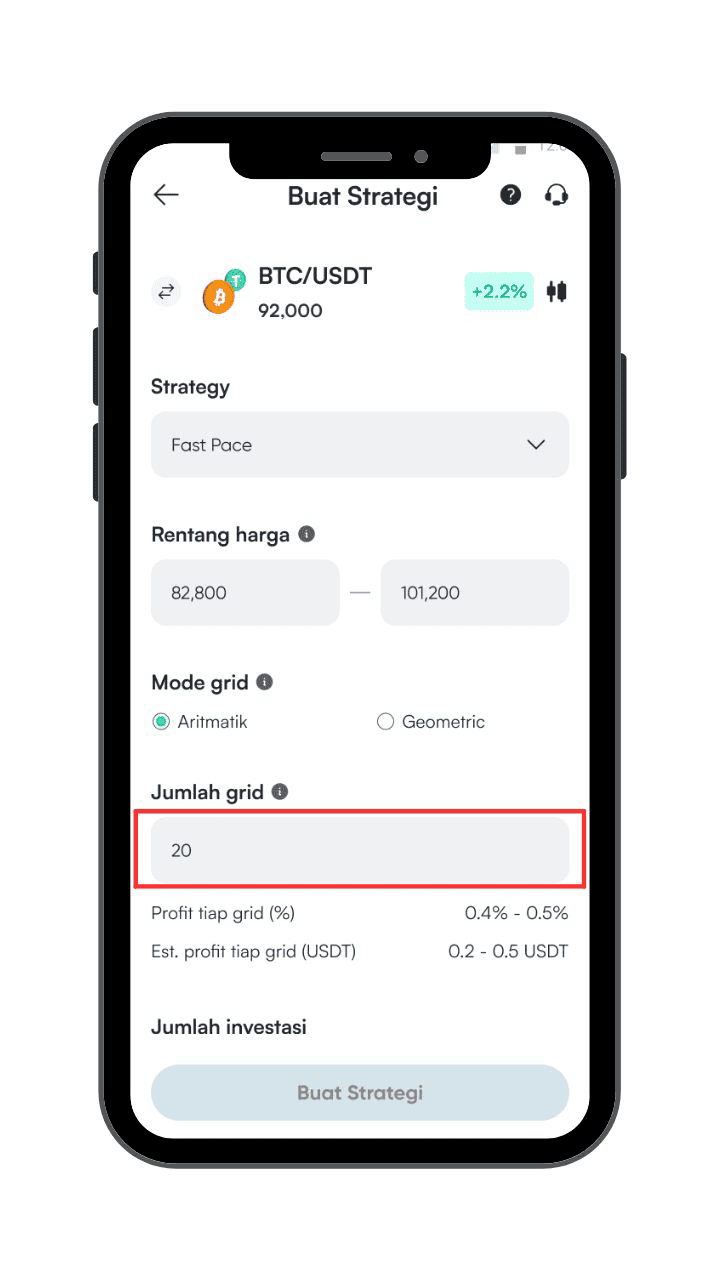
Adjust the number of grids to control how close or far apart buy and sell orders will be placed.
Step 6: Fill In the Investment Amount
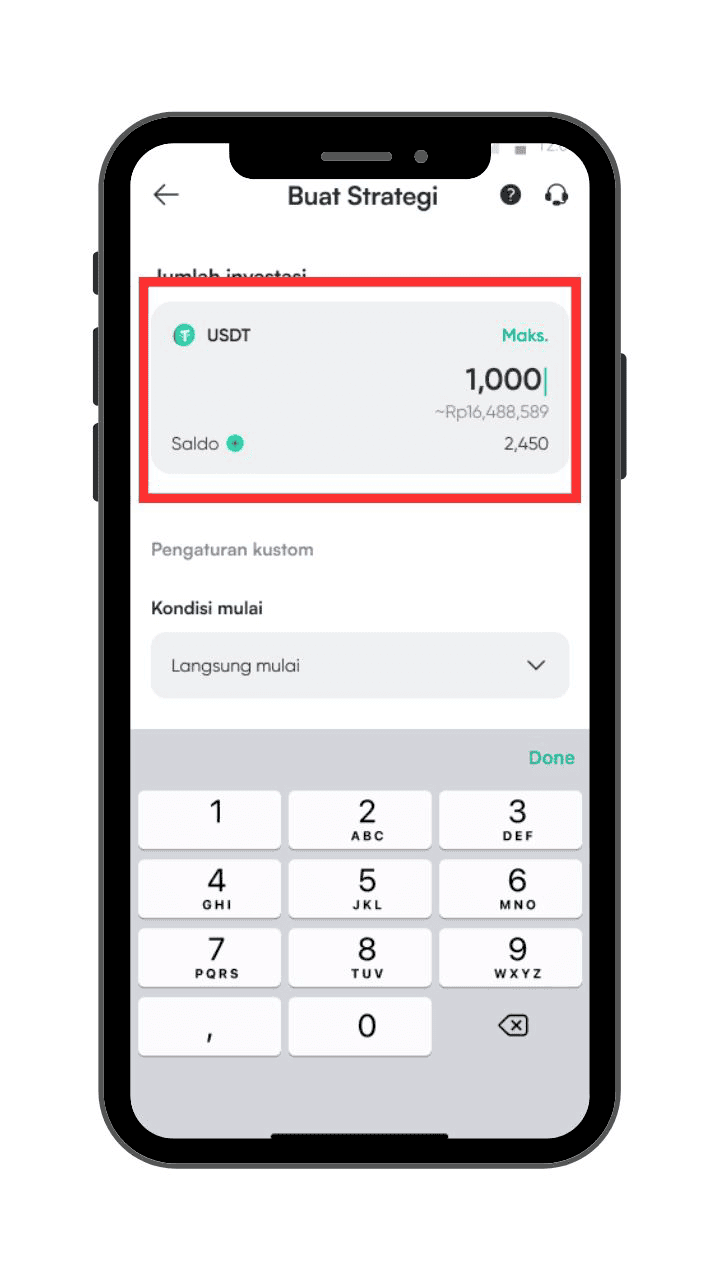
Set the amount you want to invest in this strategy.
Step 7: View Profit Estimation
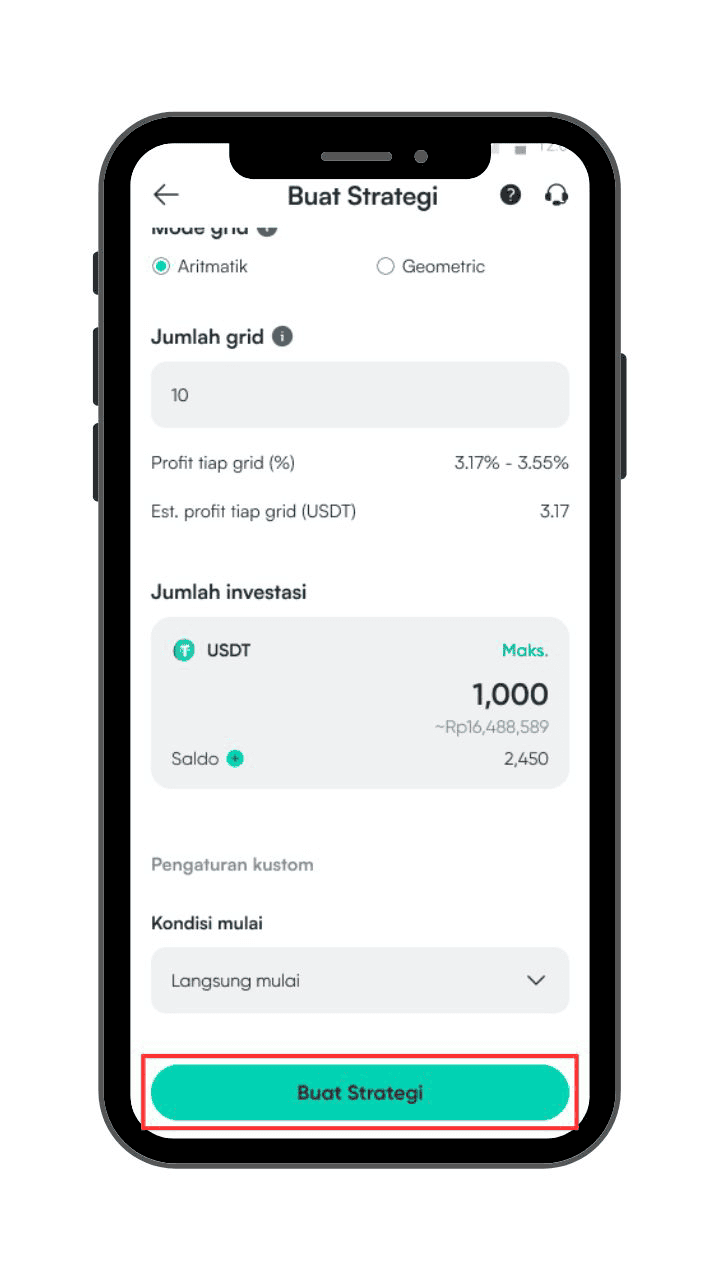
After setting parameters, Mobee will automatically show the estimated potential profit per grid.
Step 8: Review and Confirm
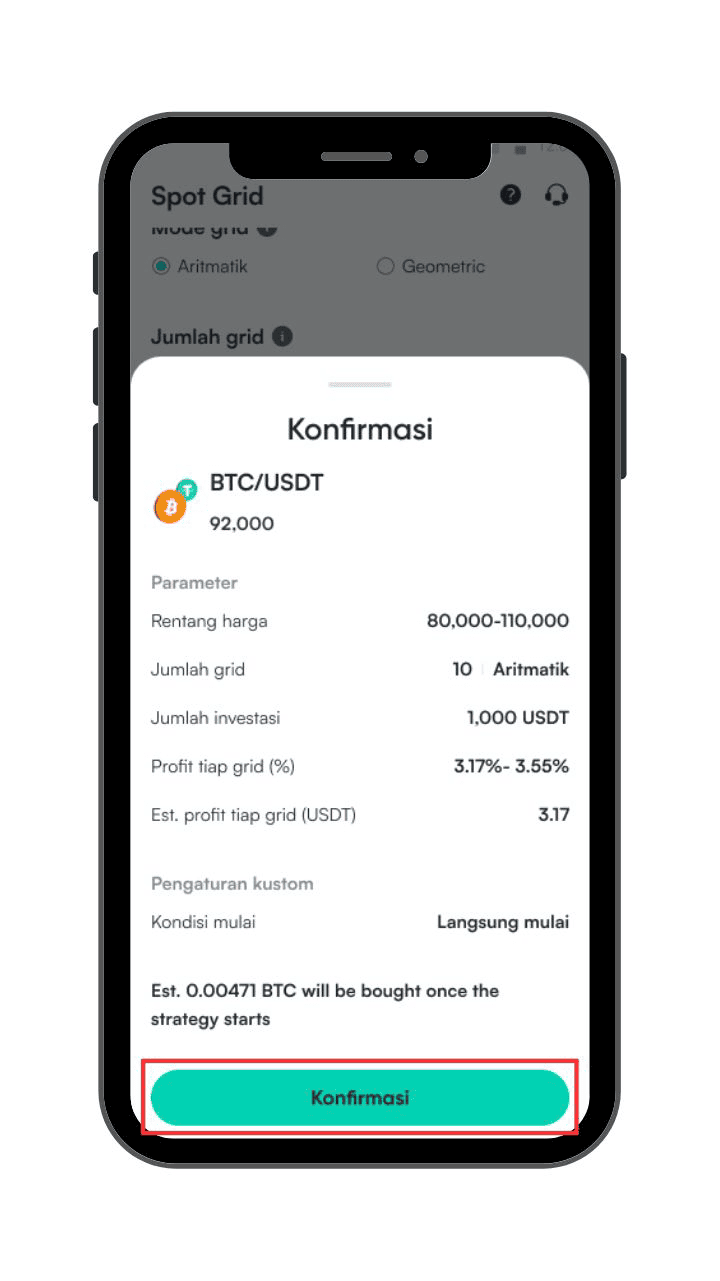
Double-check your strategy parameters. If everything looks good, click “Confirm”.
Step 9: Preview the Grid
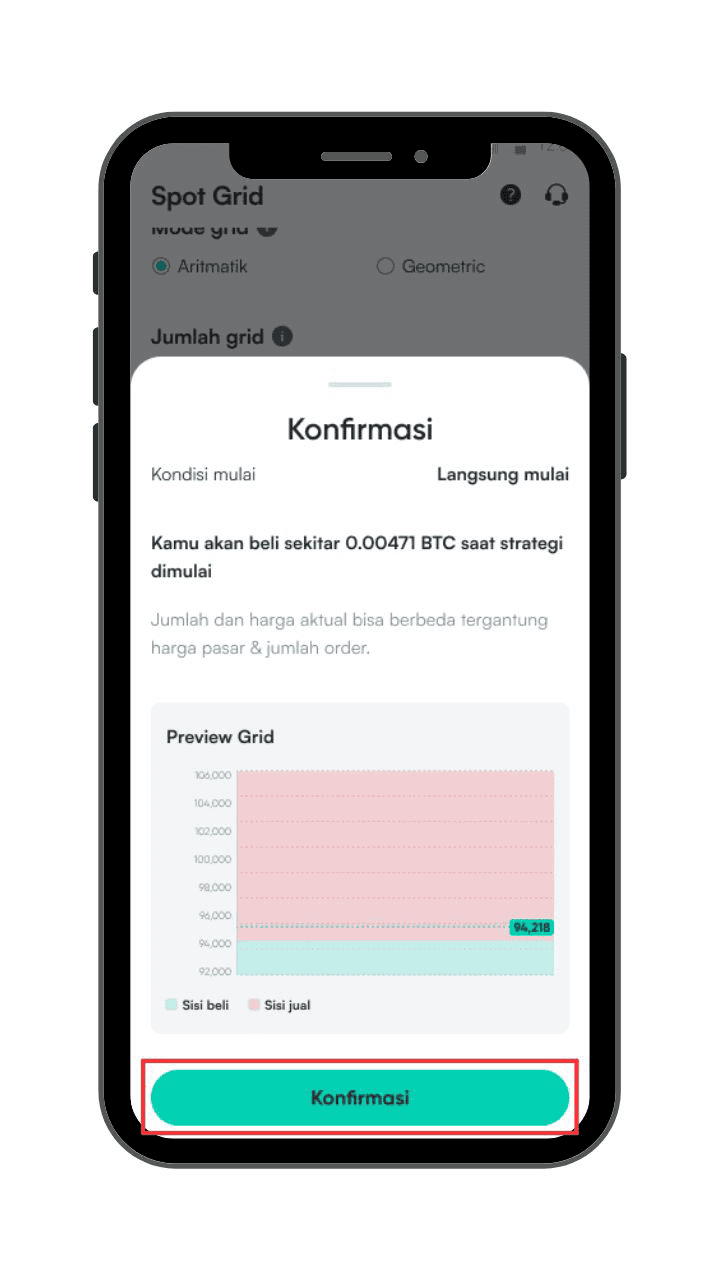
You’ll see a visual preview of the grid before the strategy starts running.
Step 10: It's Done!
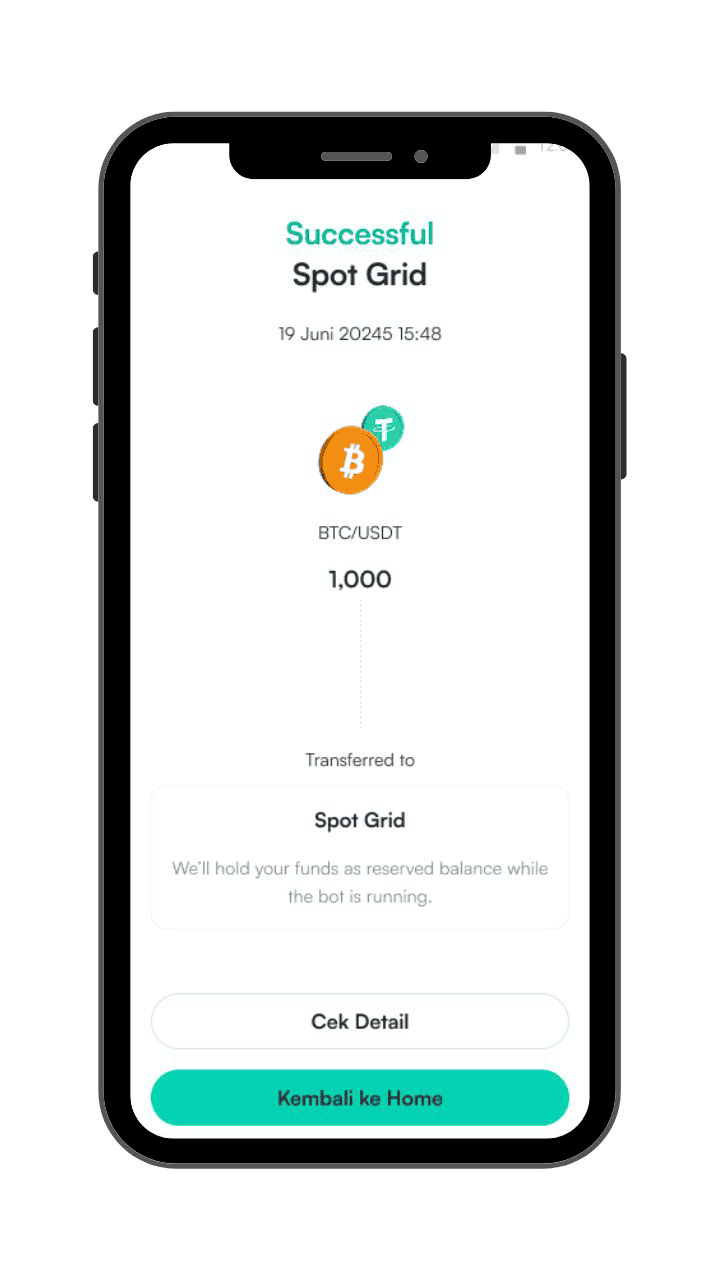
Congratulations, your Spot Grid strategy is now active! You can click “Check Details” to monitor performance and progress.
How to Deactivate Spot Grid Strategy on Mobee
Step 1: Open the Active Strategy Details Page
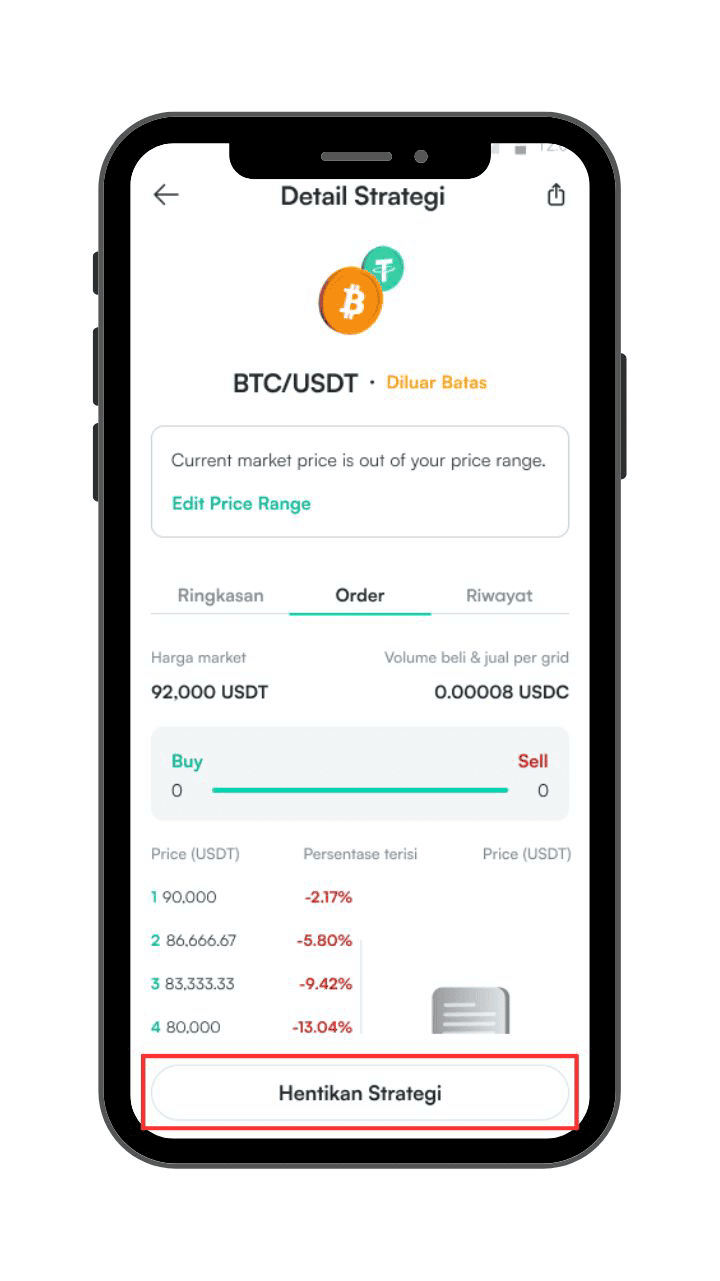
Note: Strategies do not stop automatically—you must stop them manually.
Step 2: Choose Asset Settlement Option, Then Continue
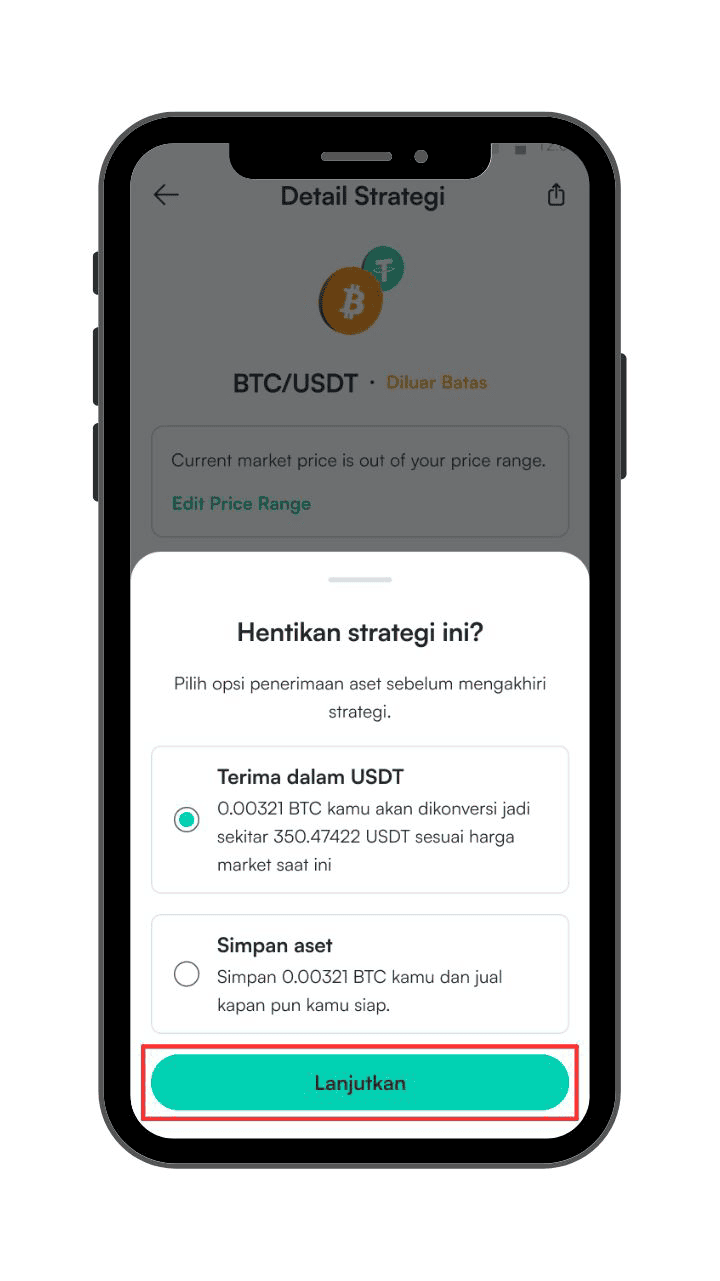
You’ll be given two options:
- Convert all assets into USDT, or
- Keep them in their original form as per the strategy.
Select your preferred option, then click Continue
Step 3: The Strategy is Successfully Ended
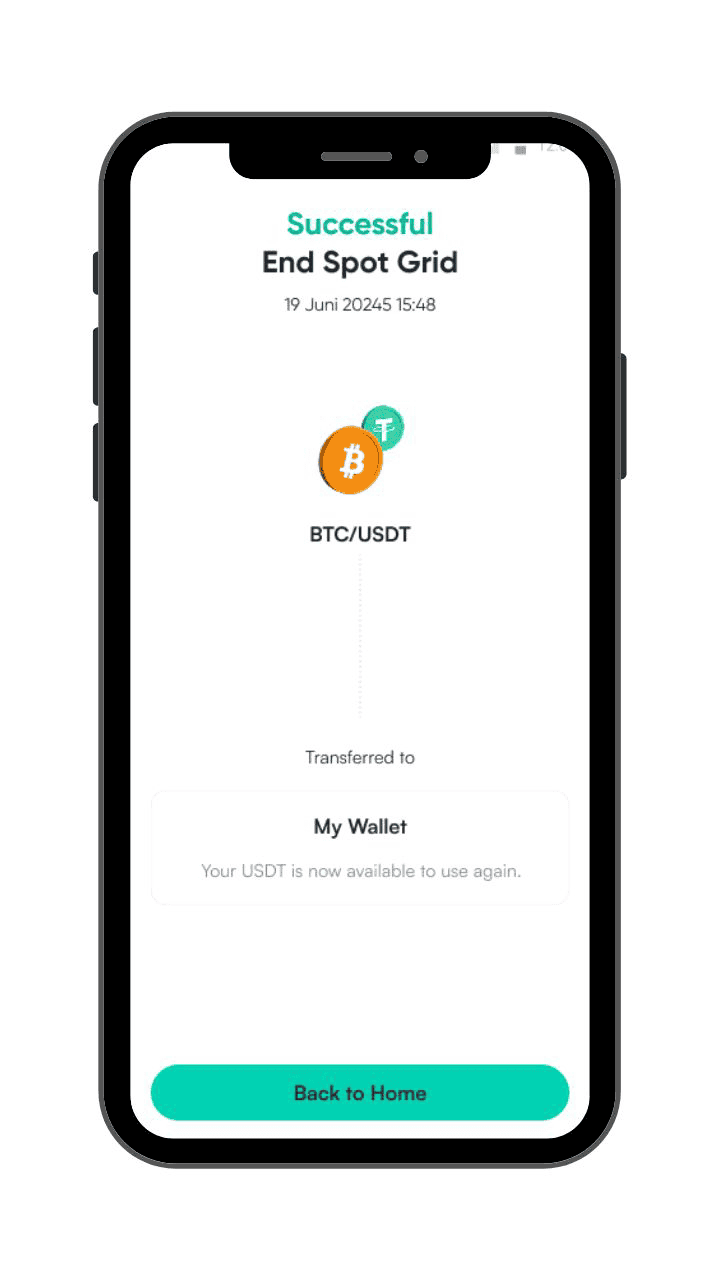
You can view the final results and balance directly in your wallet or in the transaction history.
Learn More About Spot Grid
Do you want to dive deeper into Spot Grid Trading? You can click here to explore the full guide in our Help Center.