How to Activate Passkey on the Mobee App

Passkey is a faster and more secure login method than passwords. With Passkey, you can access your Mobee account using fingerprint, face scan, or your phone’s screen lock, such as a PIN.
Benefits of Using Passkey
- Faster verification without password/OTP: Simply scan your face or fingerprint.
- One-step withdrawal: Withdraw funds safely and easily in one step.
- Easier access across multiple devices: Log in to your account on all devices effortlessly.
- Optimal security: Protected against fraud and hacking.
How to Activate Passkey on the Mobee App
Passkey is available on Mobee app version 1.90 and above, for devices running iOS 16 and above or Android OS 9 and above.
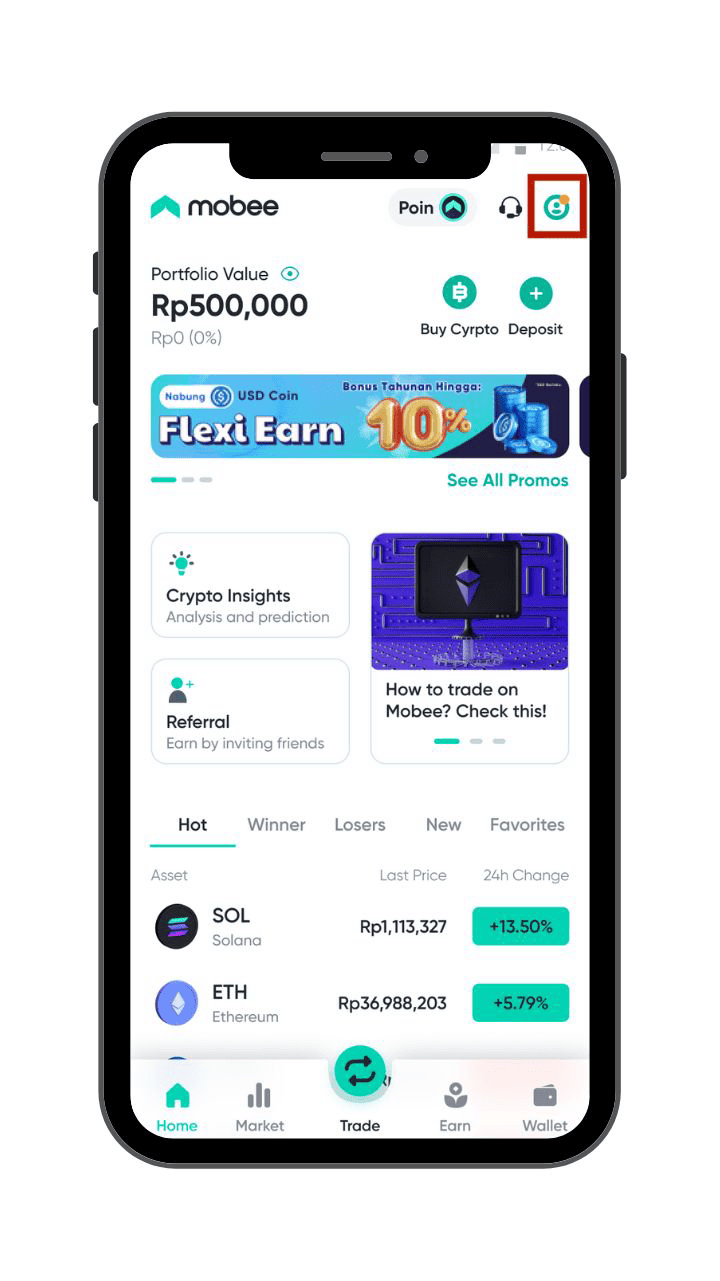
Step 1: Log in to the Mobee app and open the Profile menu.
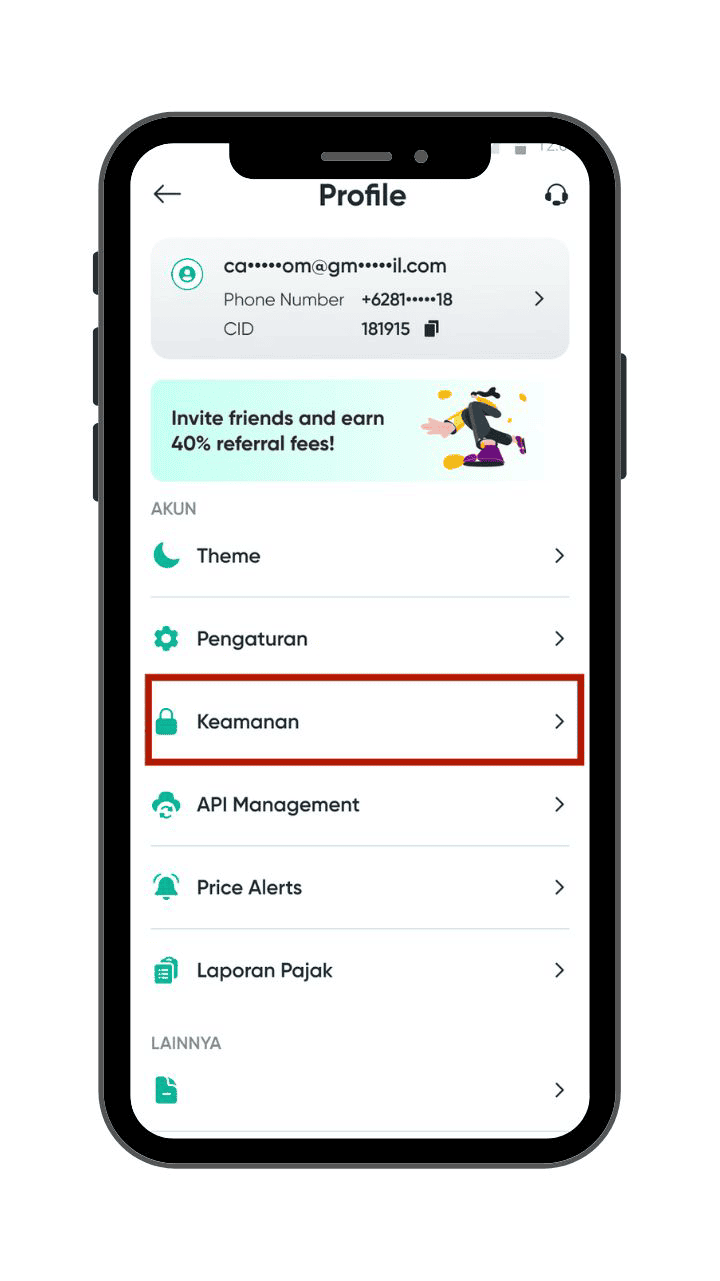
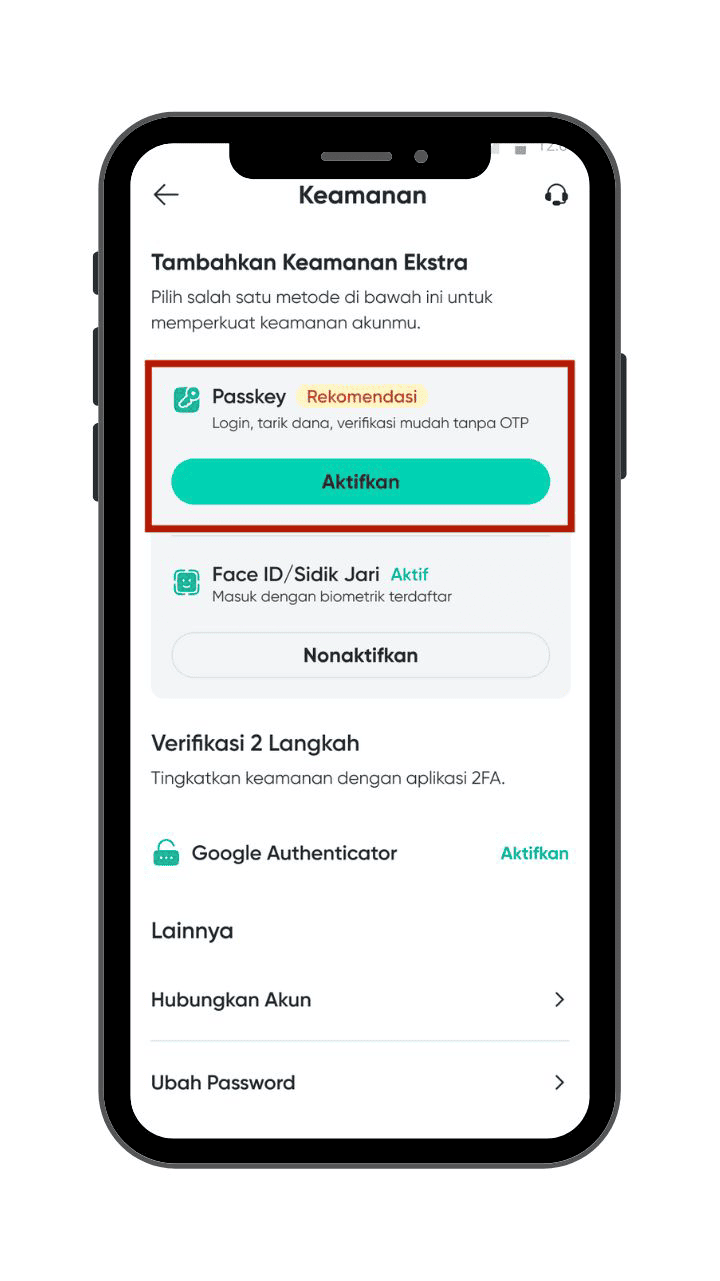
Step 2: Tap on the Security section.
Step 3: When you see the Passkey option, tap Activate.
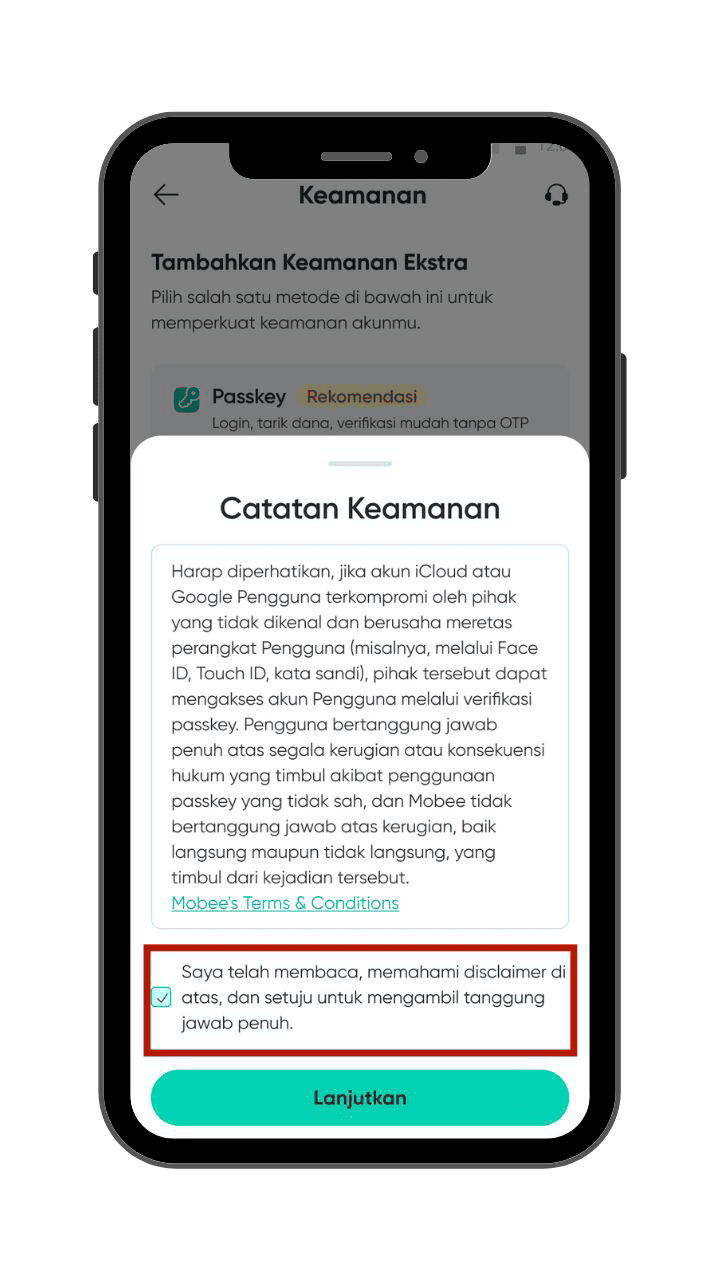
Step 4: A Terms and Conditions pop-up will appear—read carefully, check the agreement box, and tap Continue.
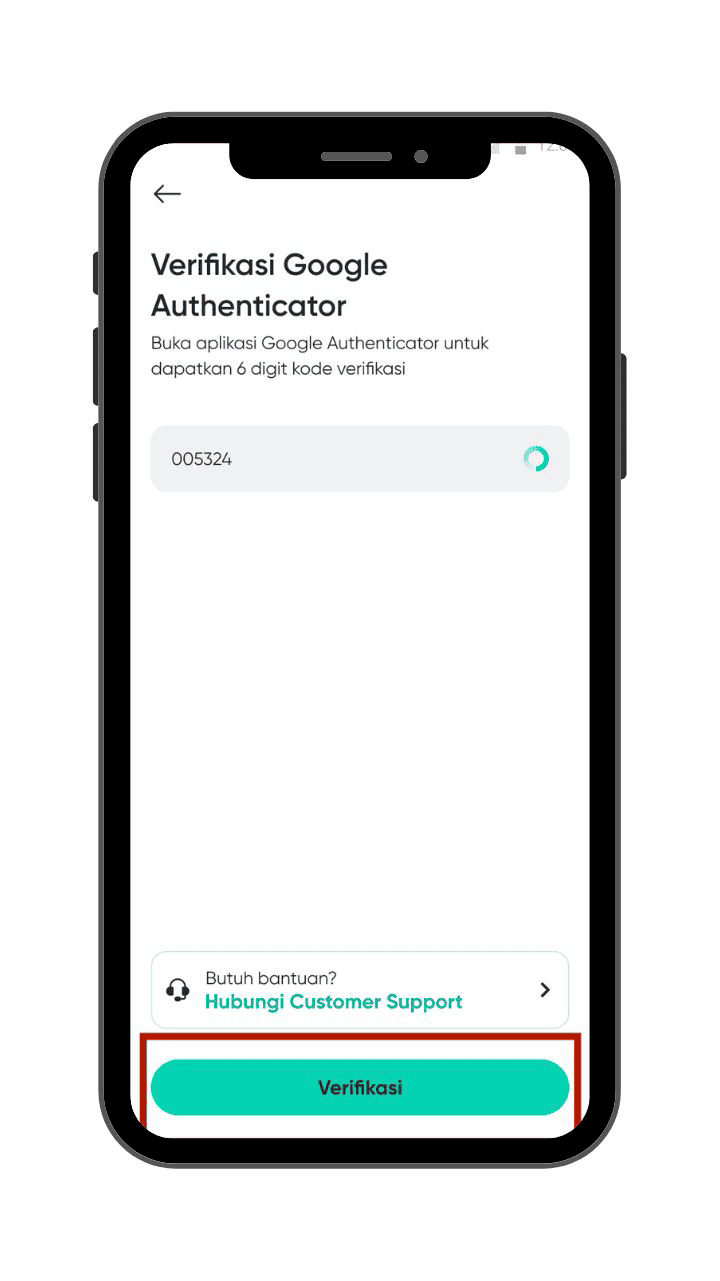
Step 5: Complete verification using your existing 2FA (Google Authenticator or OTP).
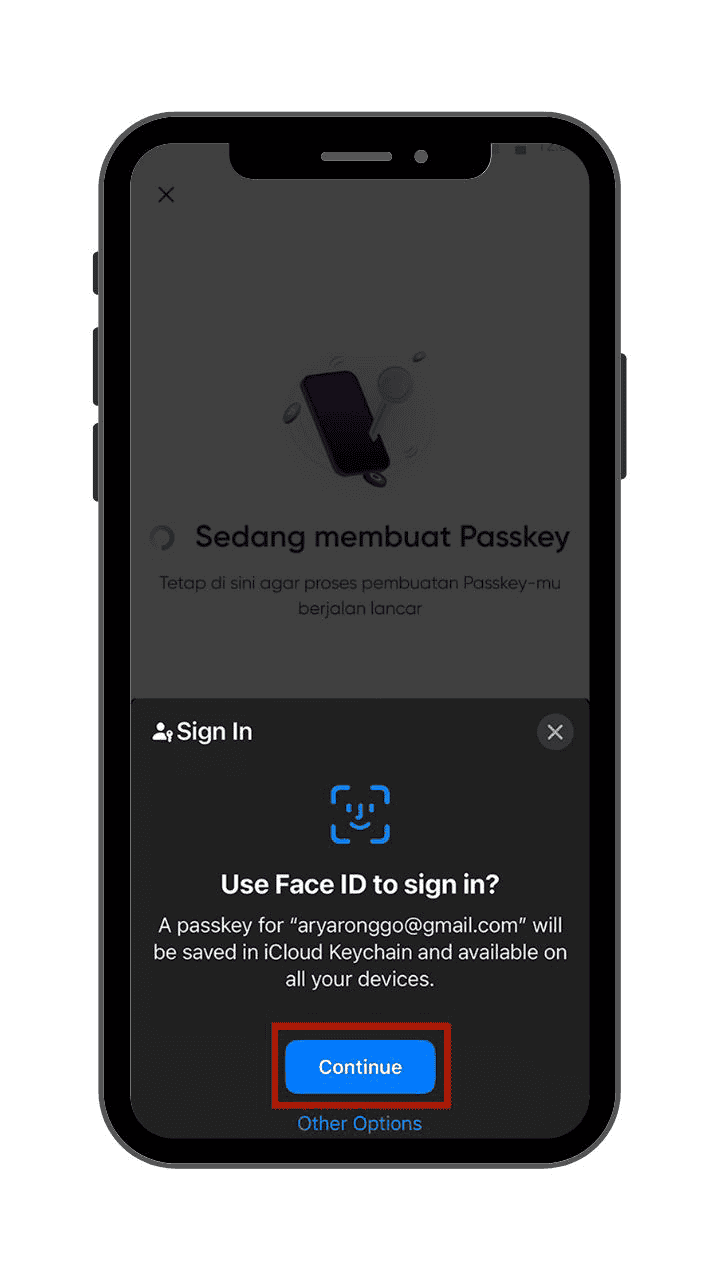
Step 6: A Passkey pop-up will appear, tap Continue.
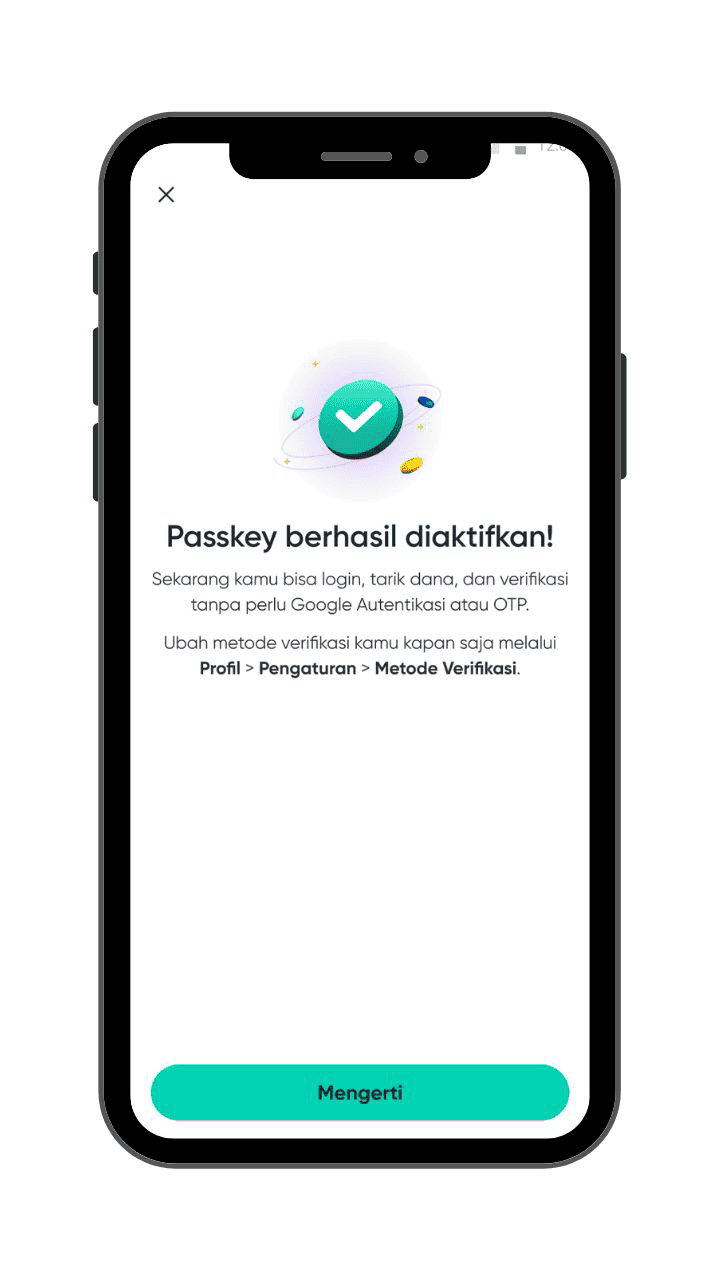
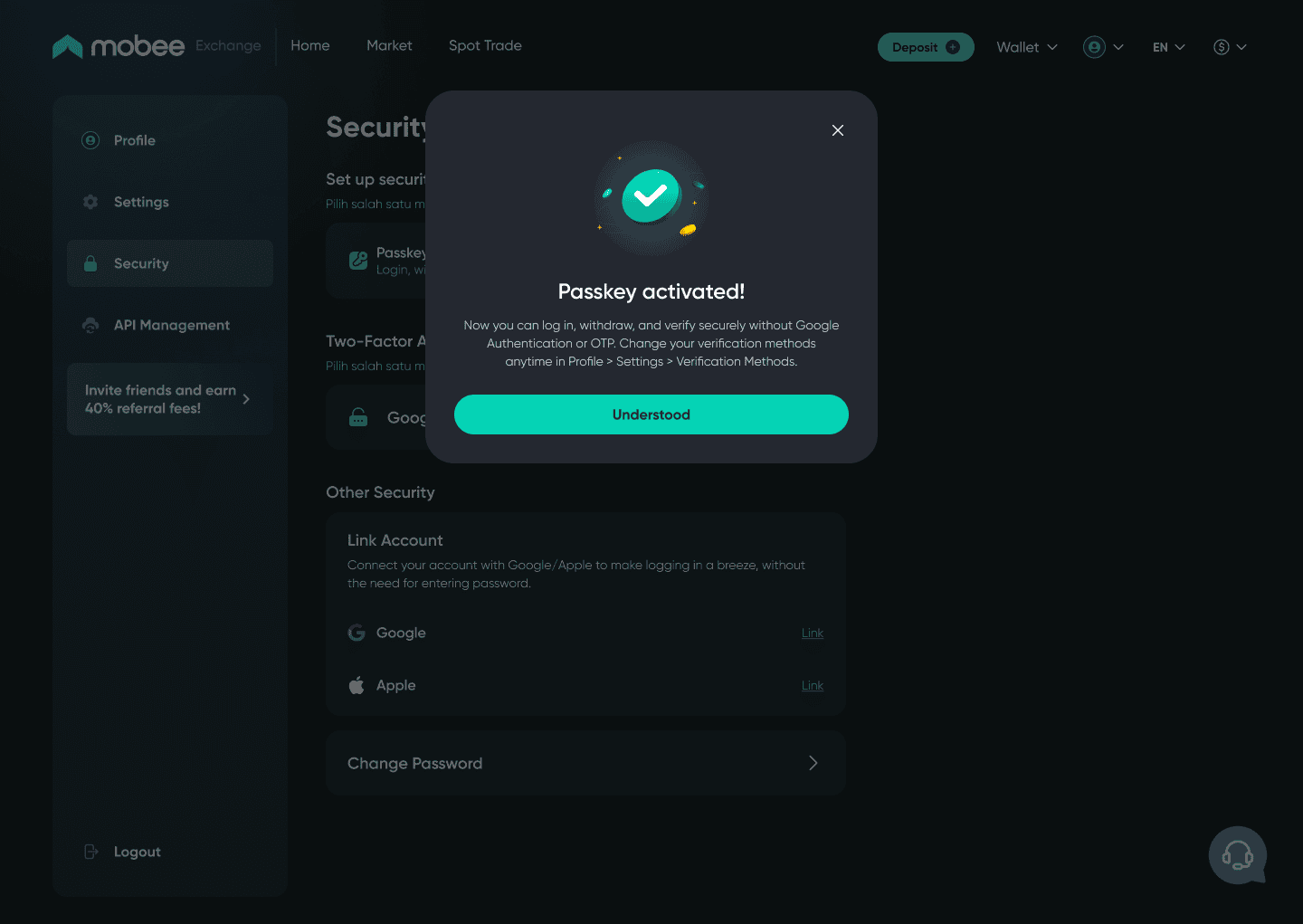
Step 7: Congratulations! Your Passkey is now ready for login, withdrawals, and verification—no need for passwords, Google Authenticator, or OTPs!
How to Activate Passkey on the Mobee Website
To activate a passkey on the Mobee website, follow these steps:
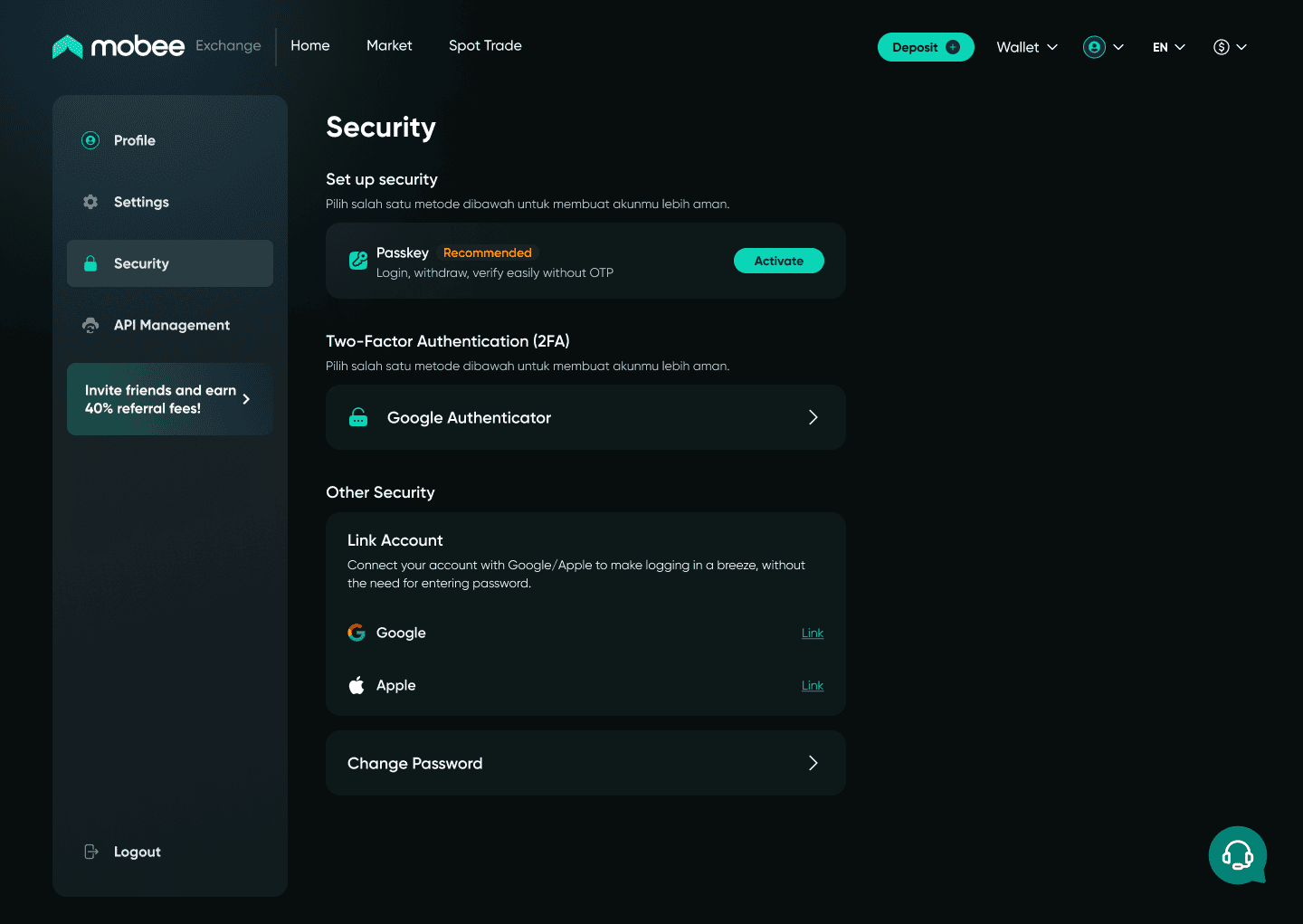
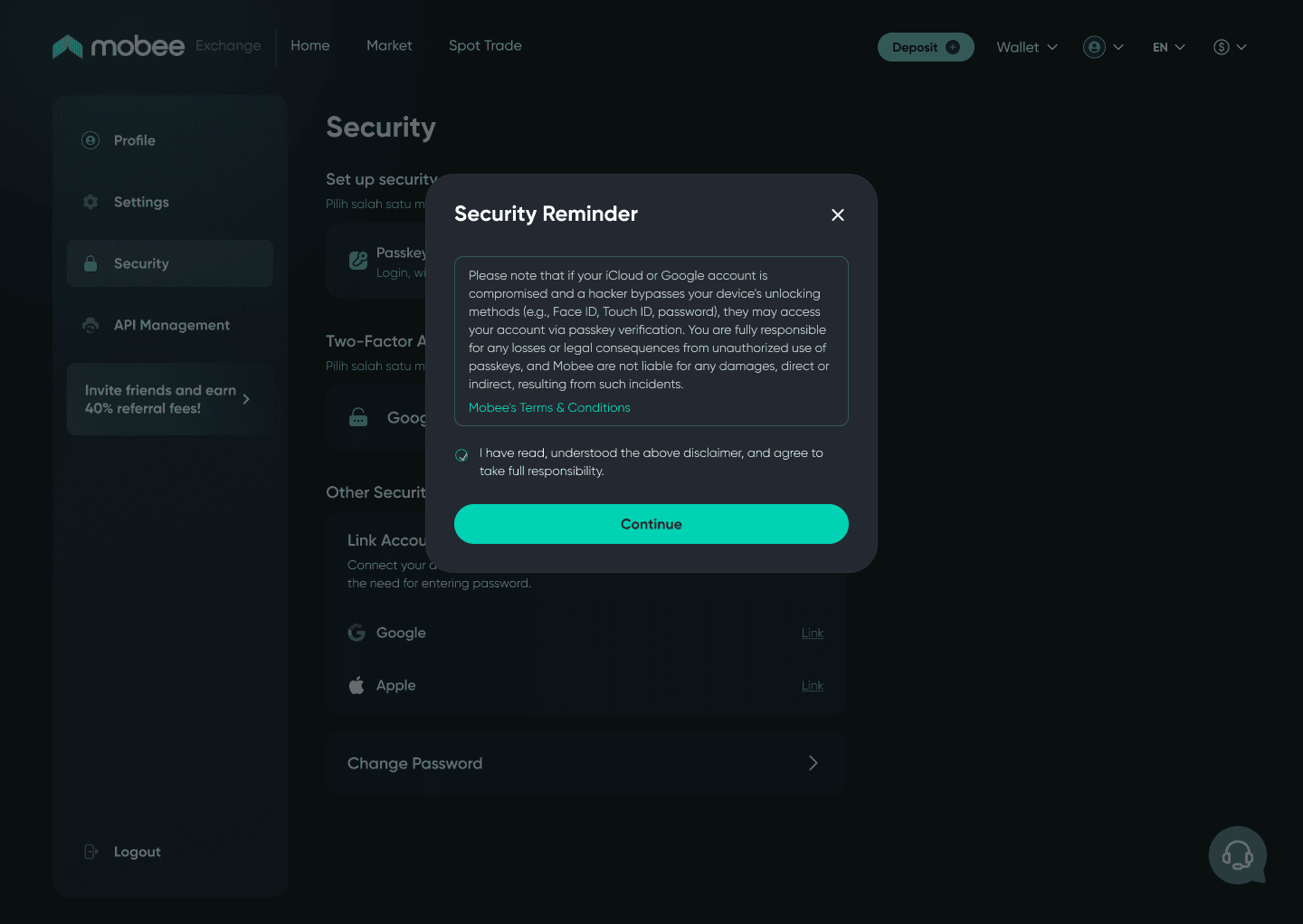
Step 1: Go to the Security page and click "Activate". Then, check the agreement box to proceed.
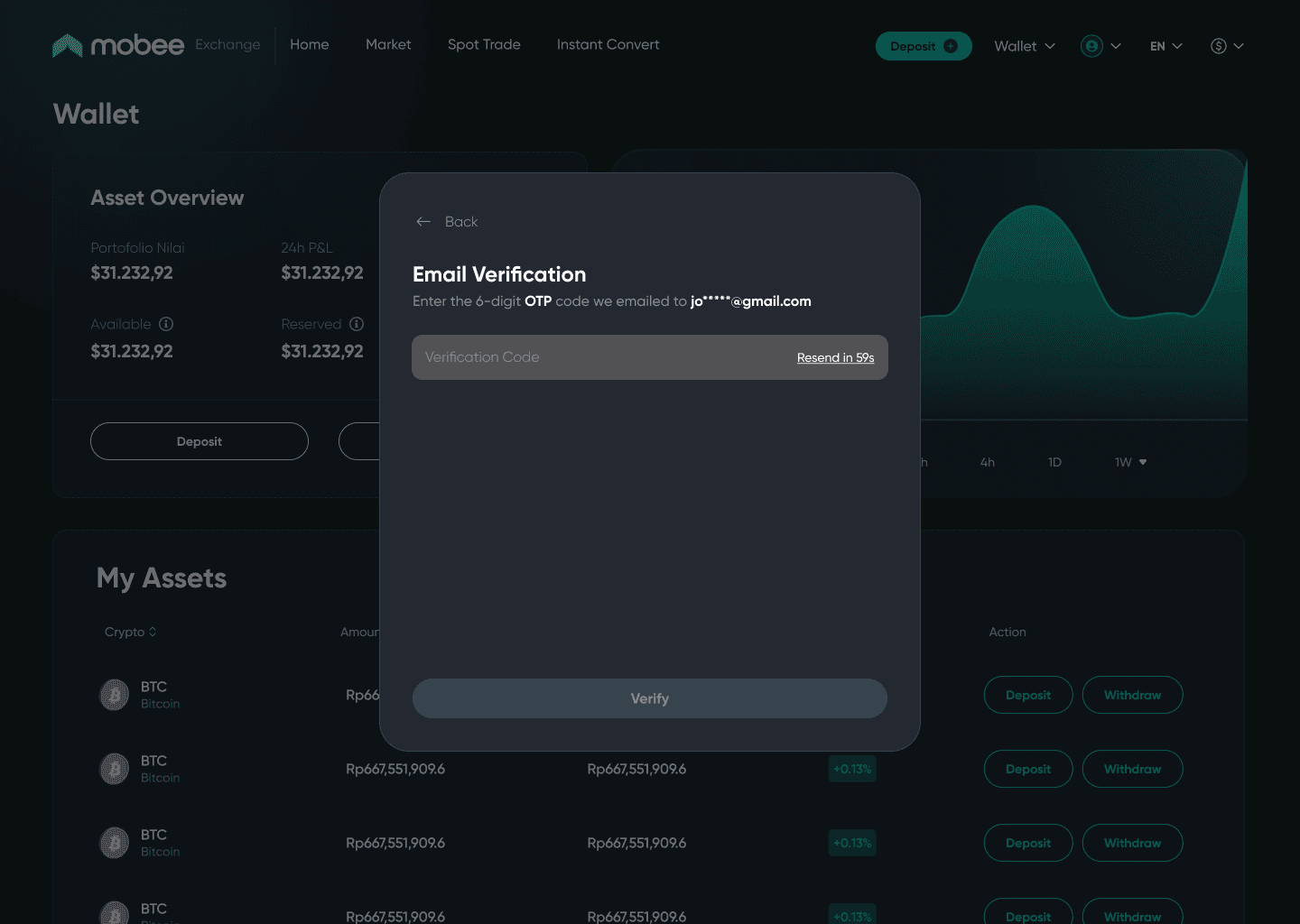
Step 2: Verify using the OTP sent to your registered email on Mobee.
Step 3: Proceed with the passkey activation process.
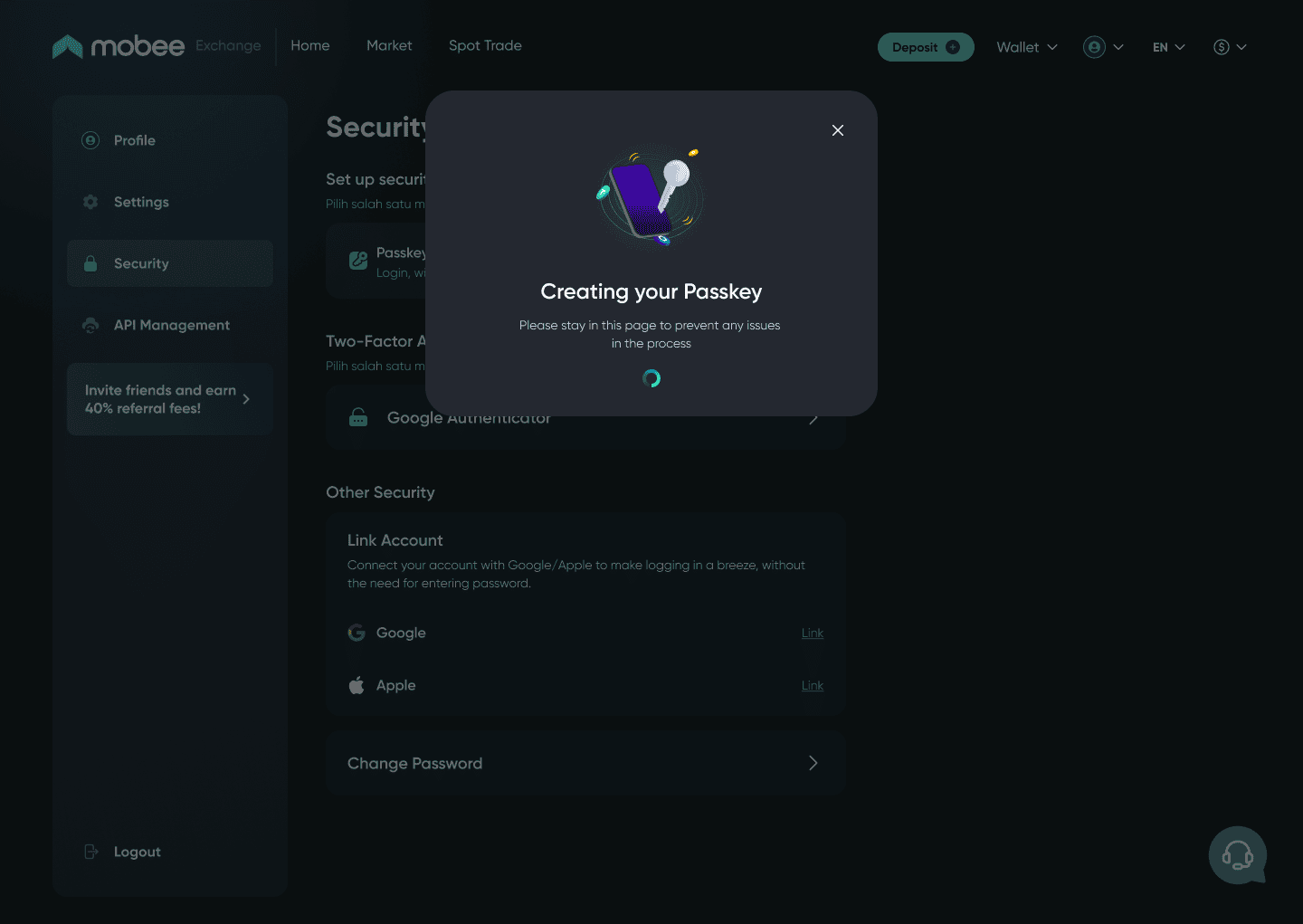
Langkah 4: Congratulations! Your Passkey is now ready for login, withdrawals, and verification—no need for passwords, Google Authenticator, or OTPs!
Important Notes
Passkey will be your main method for verifying your identity during logins, withdrawals, and other security-related actions. Make sure you have access to Passkey on all your commonly used devices. If you lose access to your Passkey, please contact Customer Support to reset it. Activate Passkey now to enjoy a faster and more secure login experience on Mobee!