How to Use Solscan: Check Transactions, Wallets, Tokens
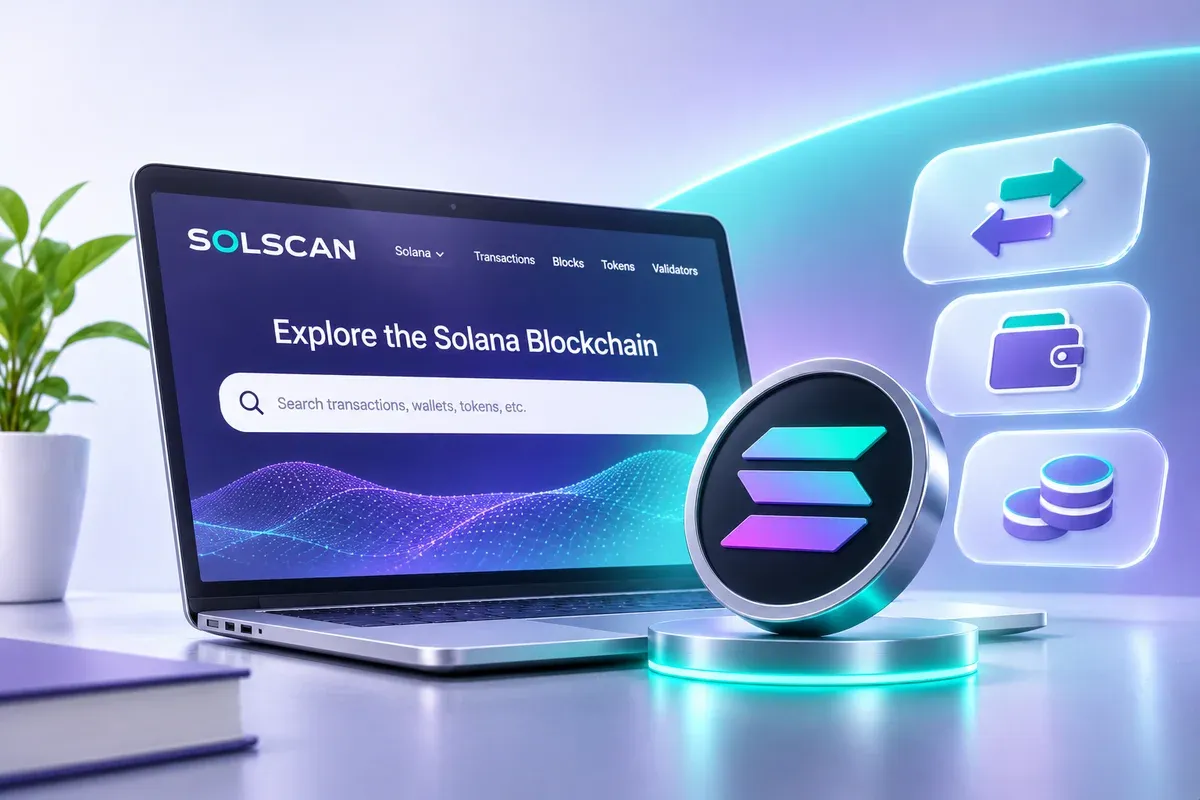
Solscan is the blockchain explorer for Solana: a website that shows every transaction, wallet balance, and token detail on the Solana network in public. Paste a transaction signature or a wallet address into the search box and you can see the status, amount, and parties involved, with no login needed.
Key Points
- Solscan is the blockchain explorer for Solana. You can view transactions, wallets, and tokens in public, with no login.
- Check a transaction with its signature (TXID), a wallet with its public address, and a token with its mint address.
- The only official address is solscan.io. Some third-party pages pose as the official site, so never connect your wallet to a site you don't recognize.
- Solscan only shows data. It does not tell you whether a token is safe or worth buying.
What Is Solscan?
Solscan is a data explorer for the Solana network, similar to Etherscan for Ethereum. In January 2024, Etherscan announced it was acquiring Solscan.
Every public blockchain records its transactions in the open. An explorer turns that raw record into pages a person can read. If the idea is new to you, start with what a blockchain explorer is.
The three most common uses:
- Confirming that a SOL or token transfer arrived.
- Viewing a wallet's balance and history.
- Checking a token before you buy it.
Read also: Solana (SOL): A Fast, Low-Cost Blockchain and the Future of Web3
How to Check a Transaction on Solscan
- Copy the transaction signature. This is the unique ID of a transaction on Solana, a long string of letters and numbers. Exchanges and wallets usually call it the TXID or hash.
- Open solscan.io. Type the address yourself or use a bookmark. Don't go through ads or links sent by others.
- Paste the signature into the search box and press Enter.
- Read the status at the top. It shows whether the transaction succeeded or failed.
- Match the details: sender address, receiver address, amount, time, and fee.
Example: you withdraw SOL from an exchange to your own wallet, but the balance hasn't shown up. Paste the withdrawal TXID into Solscan. If the status is successful and the receiver address matches your wallet, the funds are recorded on the network, so the issue is in how your wallet displays them, not in the transaction. If the status is failed, the amount you sent did not move. On Solana, a failed transaction usually still costs a network fee.
Terms You'll See on a Transaction Page
| Term | Meaning |
|---|---|
| Signature | The unique ID of the transaction |
| Slot / Block | The sequence number where the transaction was recorded |
| Fee | The network fee, paid in SOL |
| Lamport | The smallest unit of SOL. 1 SOL = 1,000,000,000 lamports |
| Instruction | A command a program runs inside the transaction |
How to Check a Wallet on Solscan
- Copy the wallet's public address. Public addresses are safe to share.
- Paste it into the Solscan search box.
- Read the SOL balance, the list of tokens held, and the transfer history.
Warning: never enter a seed phrase or private key on any website, including one claiming to be Solscan. A public address is all you need to view wallet data.
Remember that wallet addresses are public on a blockchain. Anyone who knows your address can see its history.
How to Check a Token on Solscan
- Find the token's mint address from the project's official source, such as its official website or account. Don't search by name alone, because many fake tokens copy real names.
- Paste the mint address into Solscan.
- Check the following:
- Holders: whether most of the supply sits in a handful of addresses.
- Supply and token info: total supply, and whether more tokens can be minted (mint authority) or accounts can be frozen (freeze authority).
- Transfer activity: whether it looks busy and natural, or just a few addresses moving tokens between themselves.
- Token age: very new tokens carry more risk.
This is a first-pass check, not a guarantee. Also read up on rug pulls so you know what to look for.
Solscan vs Other Explorers
Solscan is built for Solana. Ethereum uses Etherscan, and other networks have their own explorers. They do the same job: reading the transaction record of their own network. Use the explorer that matches the network of your asset.
Watch Out for Fake Sites
Sometimes third-party pages call themselves the "official site" of Solscan when they are not. A few safe habits:
- Type solscan.io directly or save it as a bookmark.
- Solscan will not ask for your seed phrase or private key.
- Don't click "check transaction" links from DMs or groups you don't know.
- Be careful with wallet-connect buttons. To simply read data, you don't need to connect a wallet.
Limits of Solscan
- Solscan shows on-chain data, not a verdict on safety.
- Wallet owners are anonymous. You only see an address.
- Token names can be copied, so always match the mint address.
Follow SOL on Mobee
If you move SOL between wallets or exchanges, copy the TXID from your transaction history and paste it into Solscan to confirm its status. You can also see the SOL/IDR pair on Mobee Spot Trade. Mobee is operated by PT CTXG Indonesia Berkarya, which is licensed and supervised by OJK. Install the Mobee app to follow the market and start with an amount that fits your budget.
Conclusion
Solscan lets you check for yourself what happened on the Solana network. Paste a signature to check a transaction, a public address to check a wallet, and a mint address to check a token. Use only the official site, protect your seed phrase, and treat a token check as a first step, not a guarantee.
FAQ
What is Solscan?
Solscan is the blockchain explorer for Solana. It shows transactions, wallets, and tokens in public.
Is Solscan free?
You can view transactions, wallets, and tokens without logging in. For developers, Solscan offers a separate API service.
How do I check a transaction on Solscan?
Copy the transaction signature or TXID, open solscan.io, paste it into the search box, then read the status, sender, receiver, amount, and fee.
Can Solscan help me spot a risky token?
It can help with a first-pass check using holder, supply, and transfer data, but it cannot guarantee a token is safe.
Is it safe to enter my wallet address on Solscan?
Entering a public address is safe. Never enter a seed phrase or private key on any website.
Disclaimer
This article is for education and is not investment advice. Crypto assets are high risk, and their value can fall sharply. Do your own research before transacting. Mobee is operated by PT CTXG Indonesia Berkarya, licensed and supervised by OJK.
 Direct market access from the app
Start exploring digital assets with Mobee
Track the market, learn about digital assets, and start trading more conveniently with the Mobee App.
Mobee is licensed and supervised by the OJK. Not a solicitation to buy or sell any asset.